

In practice
See a flow
actually working
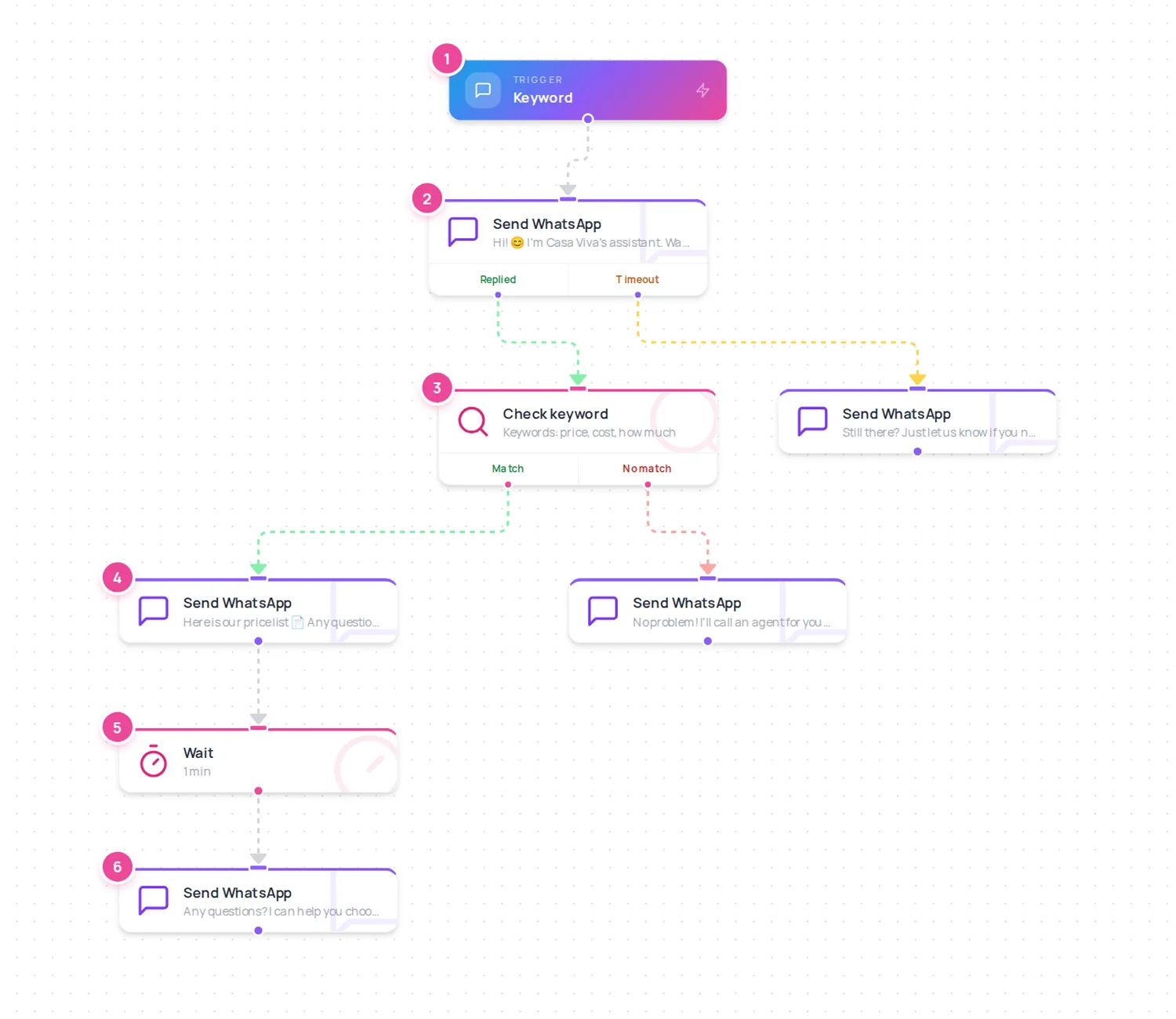
On the left, the flow built in the editor. On the right, the real WhatsApp conversation it generated — each number shows which step sent which message.
 Mariana LopesWhatsApp
- Receives the message and replies instantly
- AI understands the customer's intent
- Sends the right material and waits
- Notifies your team if there's no reply
Available triggers
Trigger flows from
any event
Each trigger starts a flow automatically when the event happens, with no manual work.
Available actions
Run any action
with precision and context
Send WhatsApp message
Text, template, image, audio or file to the contact or to a fixed number.
Generate AI reply
The AI writes a personalized reply based on the conversation's context.
Add / remove tag
Automatically classify contacts based on behavior.
Move in pipeline
Advance or move back deals across stages based on events and conditions.
Update contact fields
Automatically update name, phone, email or custom fields.
Trigger webhook
Send data to external systems: ERPs, CRMs, spreadsheets and more.
Wait / delay
Pause execution for minutes, hours or days before continuing.
Condition / split
Branch the flow based on conditions: field, tag, time, etc.
Internal notification
Alert your team about important events via push or in-app.
Forms
Capture data and
create the CRM contact
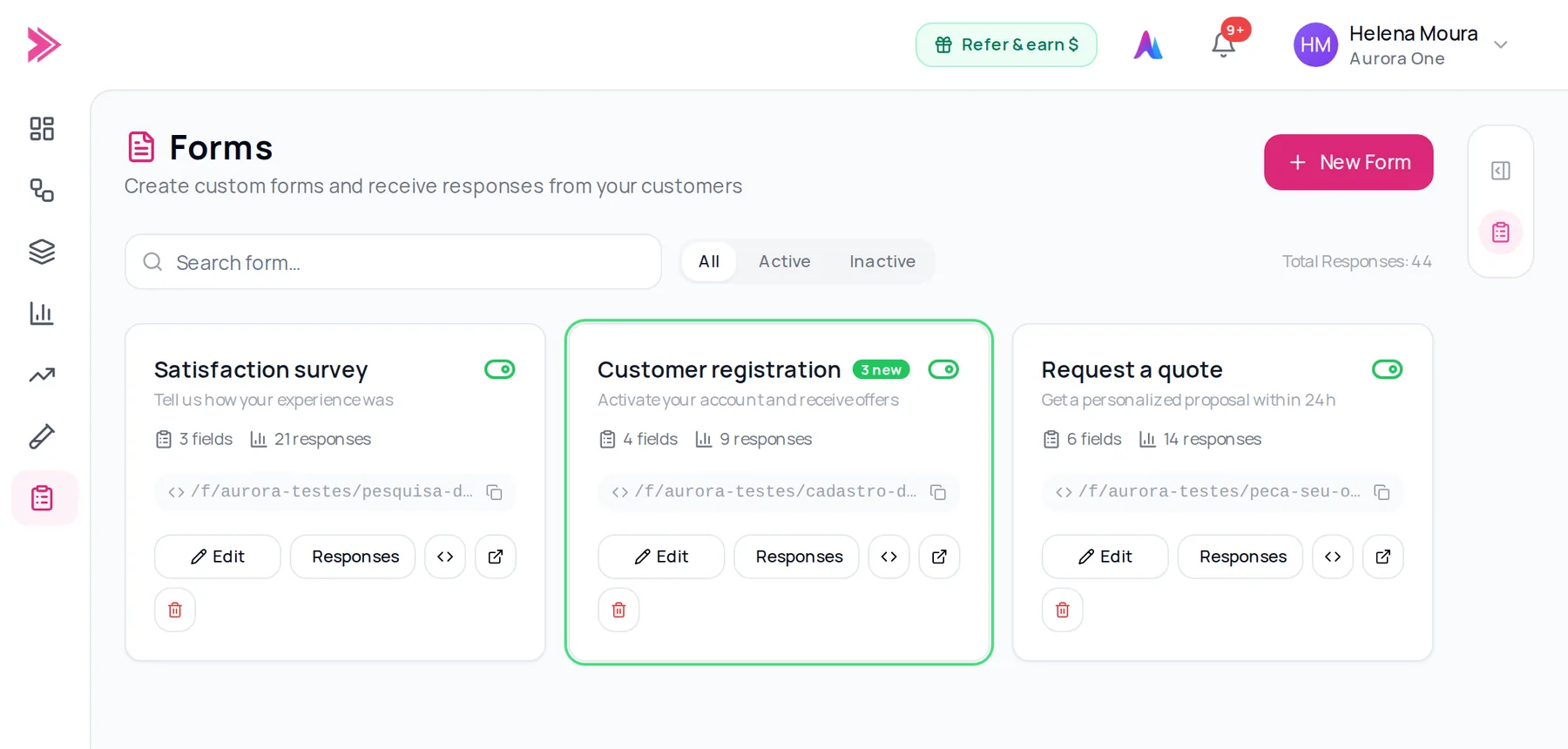
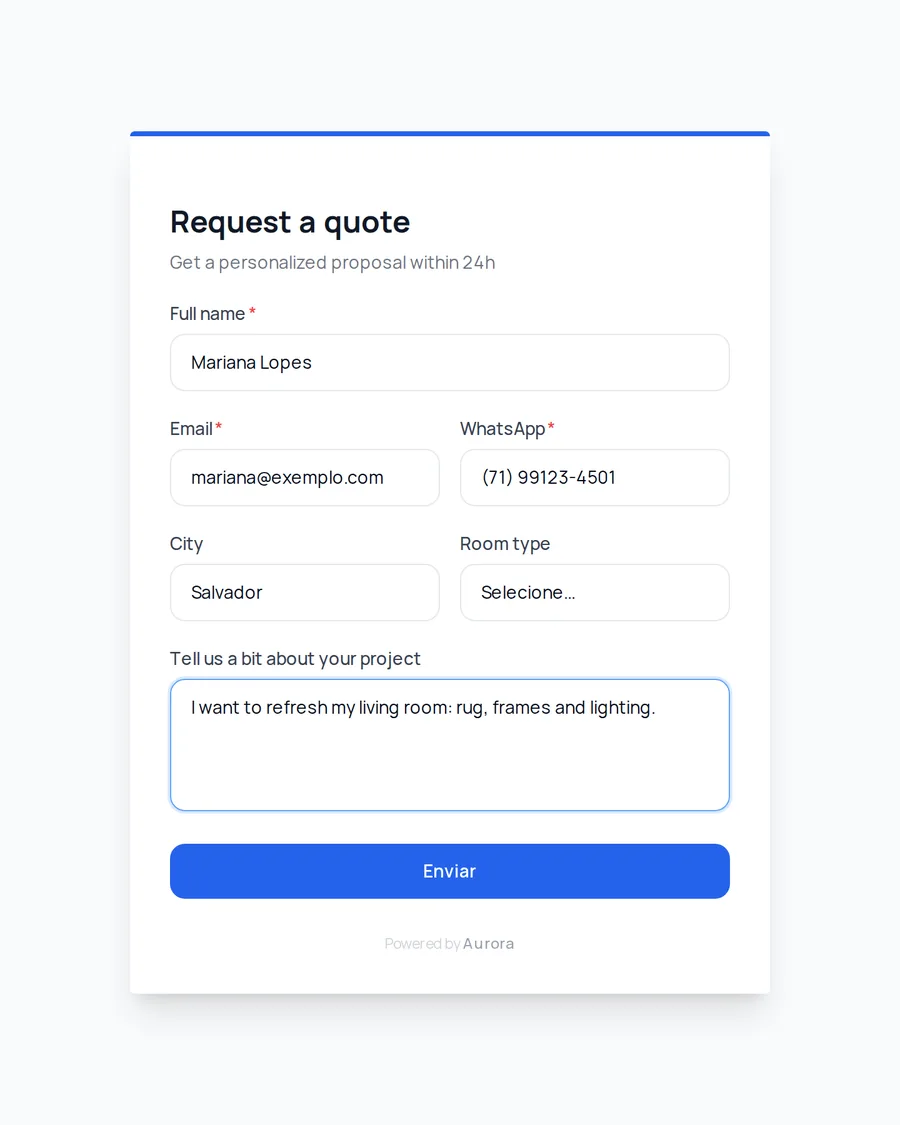
Build forms with ready-made fields, publish with a link and use each answer to create the contact and trigger a flow automatically.
- Predefined and custom fields
- Public link and embed code
- Answer becomes a CRM contact
- Can be used inside a flow
Templates
Start from a template
and make it yours
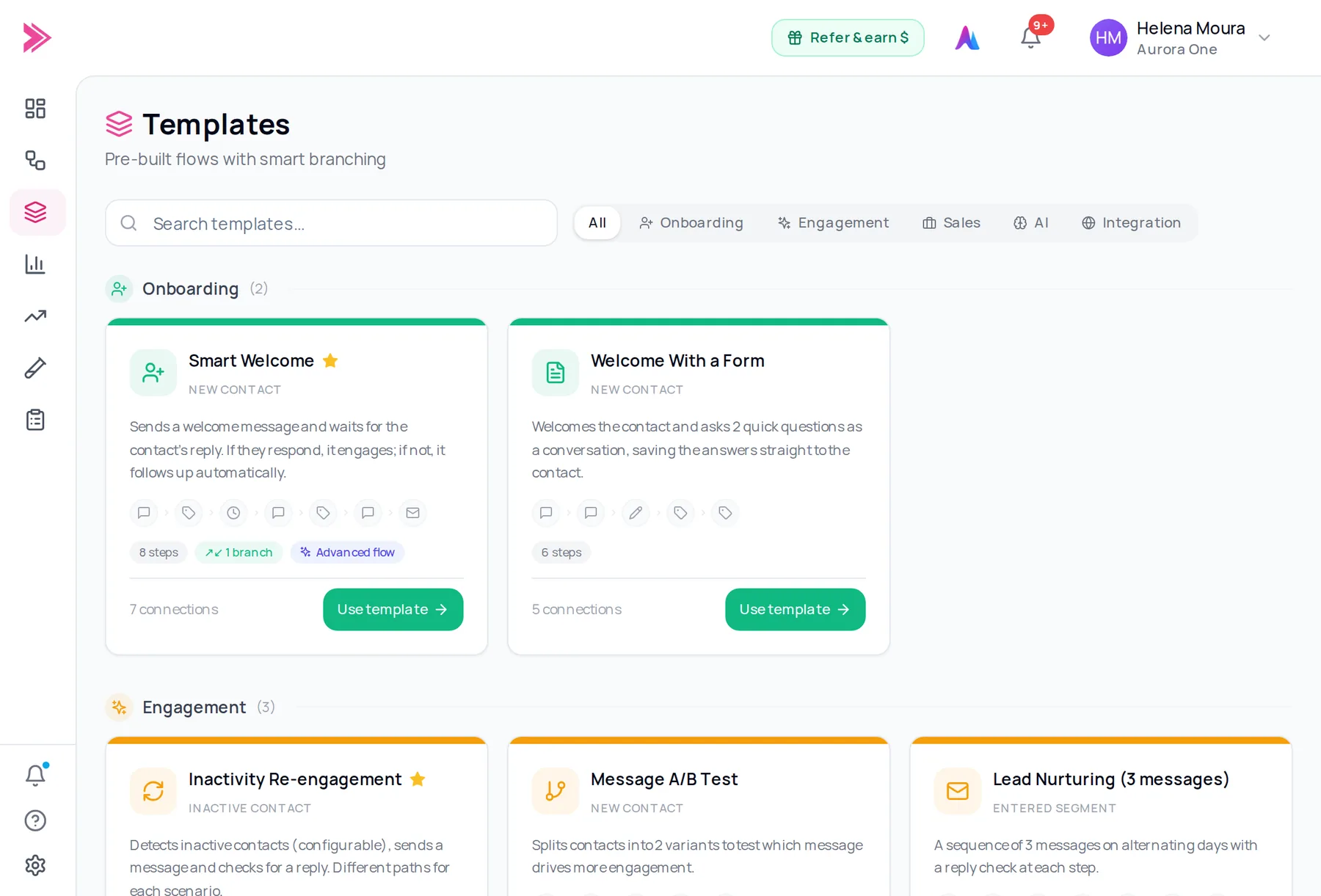
Pick a ready-made template for sales, support or billing, import it into your editor and customize each step.
- Ready-made templates by goal
- Import in one click
- Edit nodes, texts and conditions
- Test in the simulator before activating
Use cases
From onboarding to billing,
fully automated
Automatic onboarding
When a new contact comes in, trigger a welcome sequence, send materials, collect information and schedule a meeting — with zero manual work.
Lead nurturing
Educational message sequences that move the lead through the funnel based on engagement. Links with the CRM pipeline.
Smart billing
Notify customers about due dates, send the invoice via WhatsApp and run automatic follow-ups.
Post-sale and retention
Automate satisfaction surveys, offer upsells at the right moment and create retention campaigns for inactive customers.
Monitoring
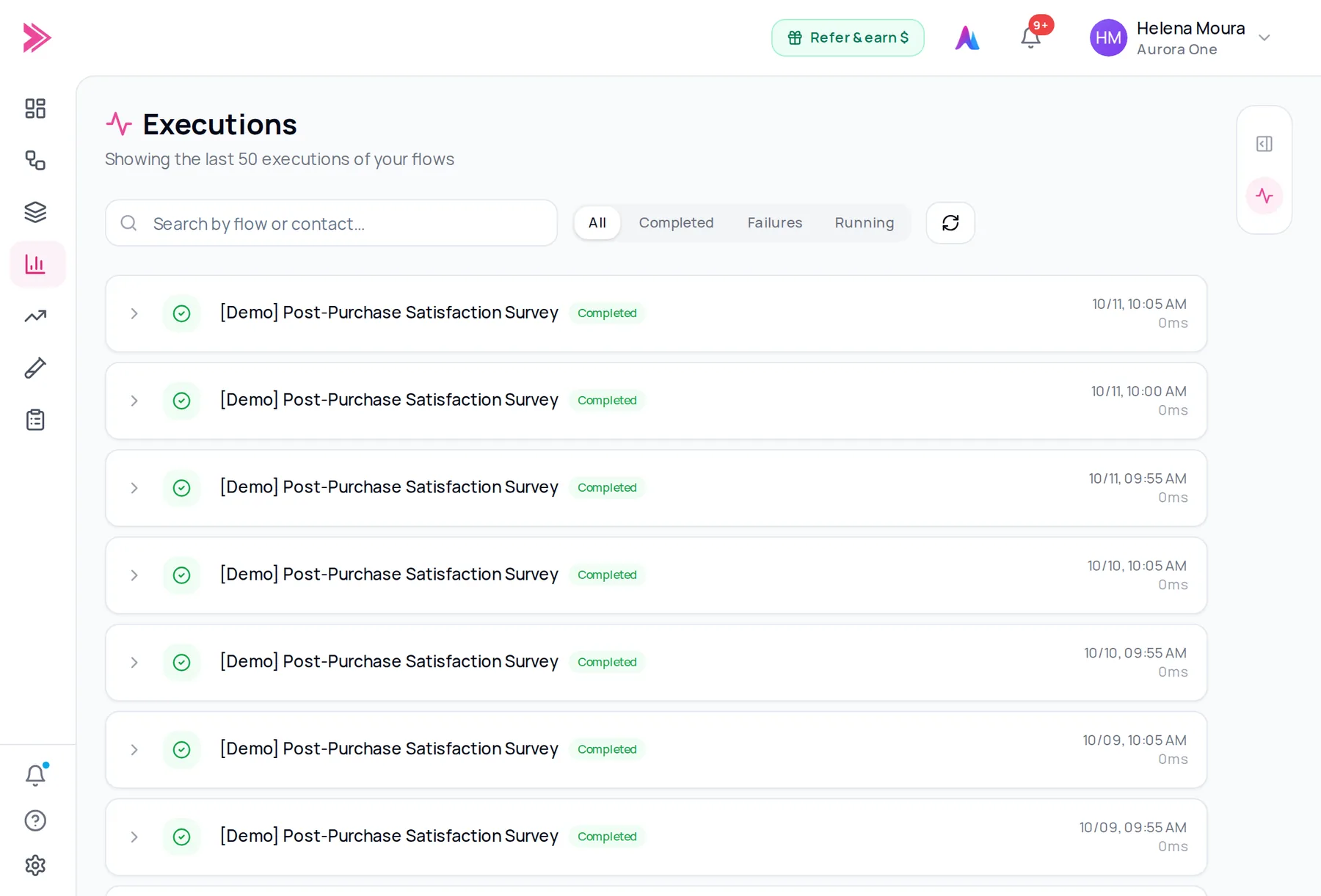
Every run
logged and auditable
The complete execution history shows the status of each step, processing time, errors and the data used. Debug, optimize and make sure your flows are working.